Most “best AI note taker” lists rank apps by features: summaries, action items, CRM sync. Those features have converged, and nearly every tool on this page writes a decent summary now.
What still differs is who hears your meeting. Some tools send a bot into the call that everyone can see. Some record quietly on your Mac and then upload the audio to a cloud service. A few keep everything on your machine. That’s the question this list is sorted by, followed by free-plan limits and price.
I build TranscribeX, one of the local apps here. Facts about the others come from their own websites, checked October 2026, and I’ve tried to say clearly where each one is the better pick.
Best AI note takers for Mac, by need
- Best private, on-device note taker: TranscribeX ($39 once).
- Best free plan: Fathom (unlimited recordings, cloud).
- Best notepad experience: Granola (bot-free, cloud, $14/month).
- Best for EU data residency: Jamie (bot-free, data kept in the EEA, Switzerland and UK).
- Best for sales teams: Fathom or Fireflies, for CRM sync.
- Best free and open source: Meetily or Anarlog.
What is an AI note taker?
An AI note taker records a meeting, turns the speech into a transcript, and uses a language model to write a summary with decisions and action items. Better ones also label who said what (speaker diarization) and let you ask questions about the meeting afterwards.
There are two ways to get the audio. A meeting bot joins the call as a participant, which works even when you’re not there but shows up in everyone’s participant list. Device capture records the audio playing on your Mac plus your microphone, so nothing joins the call. On a Mac, device capture is now the norm: even Otter, Fathom and Fireflies, which built their businesses on bots, now offer it.
The audio then gets transcribed either in the cloud or on your Mac. “Bot-free” and “local” aren’t the same thing, and most marketing blurs them.
How to choose an AI note taker for your Mac
- Does a bot join? Bots are visible to clients and some companies block them. Device capture avoids both problems, but you’re responsible for telling people you’re recording.
- Where is audio transcribed? Cloud tools send the recording to their servers or to providers like Deepgram and AssemblyAI. Local tools run the speech model on your Mac.
- What does the free plan really allow? Look for minute caps, history limits and note quotas, not just “free”.
- Do you need team features? Shared workspaces, CRM sync and web access are where cloud tools earn their subscription.
- What does it cost over three years, per person? See our AI note taker pricing breakdown.
AI note takers for Mac compared
| App | Bot joins the call? | Where audio is transcribed | Free plan | Cheapest paid |
|---|---|---|---|---|
| TranscribeX | No | On your Mac | Unlimited transcription; meeting automation is Pro | $39 once |
| MacWhisper | No | On your Mac | Basic transcription; meetings are Pro | €64 once |
| Meetily | No | On your Mac | Open source; diarization and auto-detect are Pro | $120/year |
| Anarlog | No | On your Mac (cloud optional) | Unlimited on-device transcription | $140/year |
| Krisp | No (optional bot) | English on-device, per Krisp; other languages on servers | 7-day trial only | $8/month yearly |
| Granola | No | Cloud | 30 days of history | $14/month |
| Jamie | No | Not stated; data kept in EEA, Switzerland, UK | 10 notes a month, 30-min meetings | €21/month |
| Otter | Yes by default; desktop app without | Cloud | 300 min/month, 30 min per call | $8.33/month yearly |
| Fathom | Yes by default; bot-free beta on Mac | Cloud | Unlimited recordings | $16/month yearly |
| Fireflies | Yes by default; desktop app without | Cloud | 400 min storage per team | $10/month yearly |
From each vendor’s pricing, product and security pages, checked October 2026. Jamie lists prices in euros. “Not stated” means the vendor’s public pages don’t say.
Local AI note takers: your audio stays on your Mac
1. TranscribeX: best private AI note taker for Mac
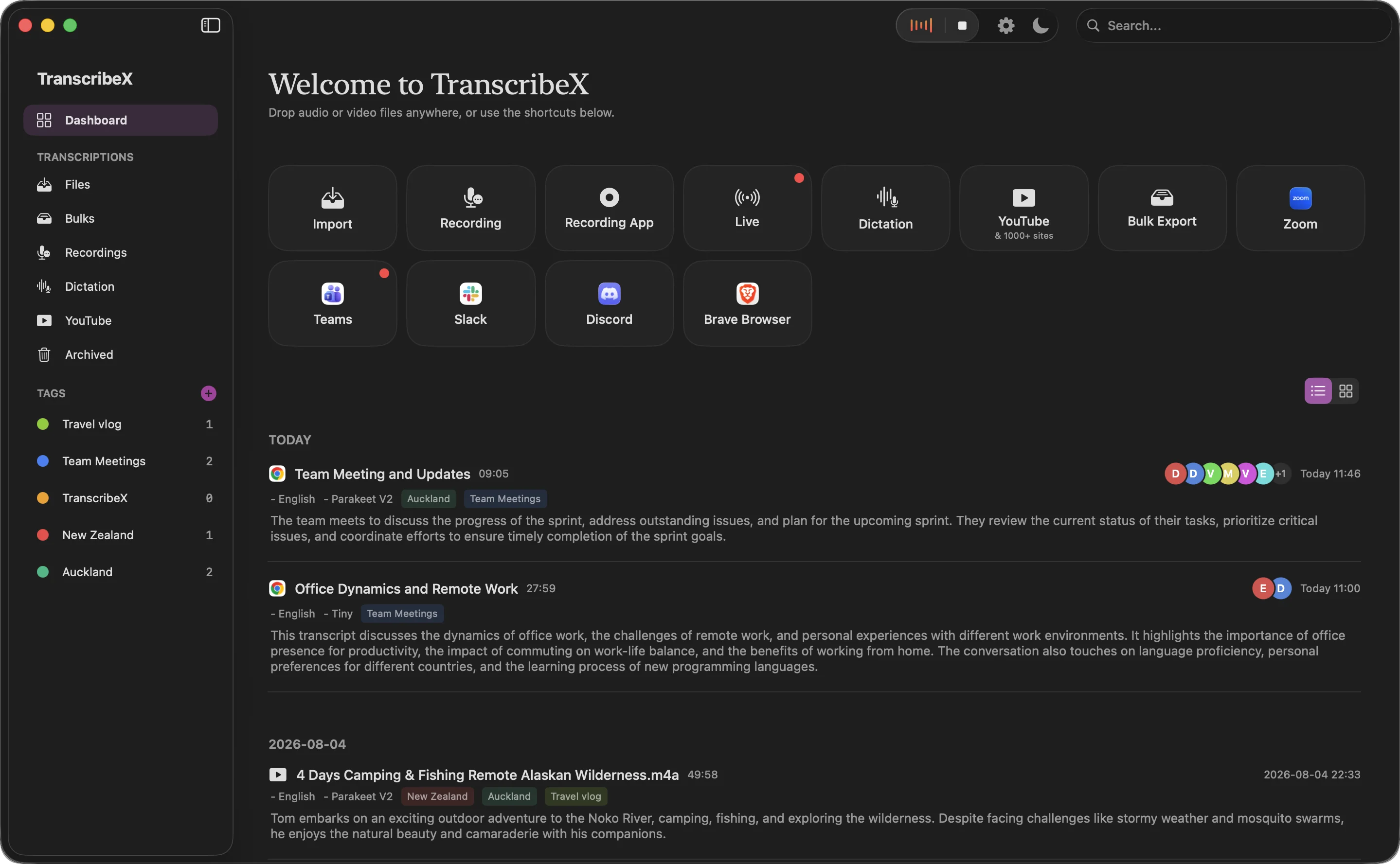
TranscribeX detects a meeting in Zoom, Teams, Google Meet, Slack, Discord, Webex or any app you add, records without a bot, and transcribes on your Mac with Whisper, NVIDIA Parakeet or Qwen3 ASR. Then it labels speakers (Voice Profiles remember recurring people), writes a summary with a language model that runs inside the app, and can export and email the recap when the call ends. With the built-in model, nothing but the email needs an internet connection.
It’s $39 once for Pro, with a free version that transcribes recordings and files without limits.
Not for you if: you need a shared team workspace, CRM sync, or an iPhone app. TranscribeX is Mac only and single-user.
“TranscribeX has been great! I am on 20+ calls weekly and this tool has become invaluable for call transcripts, and without any subscription or sending my data off to the cloud! I've emailed support on a few occasions and Ethan has been extremely responsive, top notch support!”
2. MacWhisper: best if you also transcribe a lot of files
MacWhisper is the best-known local transcription app on the Mac. Since its September 2026 update, Pro detects meetings, records without a bot, shows a live transcript and labels up to eight speakers. Summaries need your own API key or a local model in Ollama or LM Studio. It’s €64 once. How it compares with other local apps.
3. Meetily and Anarlog: best free, open-source options
Both are open source (MIT) and transcribe on your device. Meetily uses Whisper or Parakeet and summarizes through Ollama or a cloud key; speaker labels and automatic meeting detection are in Pro at $120 a year per device. Anarlog (formerly Hyprnote) is a Granola-style notepad with unlimited on-device transcription on its free plan and manual speaker labelling; Pro at $140 a year adds cloud sync and sharing. Expect a bit more setup than a commercial app.
4. Krisp: on-device English transcription plus noise cancellation
Krisp started as a noise-cancellation app and now records and summarizes meetings at the audio level on your device, with an optional bot for Zoom. Krisp says English transcription runs on-device and its other 15 languages are processed on servers. Its pricing page lists private on-device transcription and recordings under Enterprise, so check what applies to your plan. Core costs $8 a month billed yearly; there’s a 7-day trial but no ongoing free plan.
Bot-free cloud note takers: nothing joins, but audio is uploaded
5. Granola: best notepad experience
Granola captures your device audio and blends your own notes with the AI summary, which is the nicest note-taking flow on this list. Its security page says audio is transcribed by cloud providers and summarized by OpenAI and Anthropic, then deleted. The free plan keeps 30 days of meetings; Business is $14 per user per month and adds integrations with Notion, HubSpot and Attio. TranscribeX vs Granola.
6. Jamie: best for EU data residency
Jamie records through your microphone and system audio without a bot, and states that all data storage and processing stays within the EEA, Switzerland and the UK, with audio deleted after transcription. It doesn’t say the transcription itself runs on your device. The free plan covers 10 notes a month with a 30-minute cap per meeting; paid plans start at €21 a month. A good fit if your company cares more about where data lives than about keeping it off servers entirely.
Bot-first note takers: best for teams and sales
7. Fathom: best free AI note taker
Fathom’s free plan doesn’t cap recordings or transcripts, which no other cloud tool here matches. It joins as a bot by default; a bot-free mode for Mac is in beta. Premium costs $16 a month billed yearly, and Team and Business add CRM field sync to HubSpot and Salesforce. TranscribeX vs Fathom.
8. Otter: best for web and mobile access
Otter’s Notetaker joins Zoom, Teams and Google Meet as a bot, and its Mac desktop app can record without one. Its strength is reach: web, Mac, Windows, iPhone and Android, with shared channels for teams. The free plan allows 300 minutes a month, 30 minutes per conversation; Pro is $8.33 a month billed yearly. TranscribeX vs Otter.
9. Fireflies: best for integrations
Fireflies has the longest integration list here, from CRMs to dialers, plus team analytics and cross-meeting search. Its bot is called Fred; the desktop app and Chrome extension can record without it. The free plan caps storage at 400 minutes for the whole team; Pro is $10 a month billed yearly. TranscribeX vs Fireflies.
10. Wispr Flow Notetaker: if you already use Wispr for dictation
Wispr Flow added a Notetaker in 2026 that records on your computer without joining the call. Transcription always runs in the cloud, per Wispr’s privacy page, and the free plan has a weekly meeting limit it doesn’t publish. Pro is $12 a month billed yearly. TranscribeX vs Wispr Flow.
A note on recording without a bot
A bot announces itself. Device capture doesn’t, which is convenient and also puts the responsibility on you.
My recommendation
- Client calls, legal, health, HR or anything sensitive: use a local note taker. TranscribeX if you want it automatic, Meetily or Anarlog if you want open source.
- You just want free notes and don’t mind the cloud: Fathom.
- You love writing your own notes during calls: Granola.
- Your team lives in a CRM: Fathom Team or Fireflies.
AI note taker FAQ
What is the best AI note taker for Mac?
It depends on whether your audio can go to the cloud. For on-device privacy, TranscribeX and MacWhisper transcribe locally on the Mac. For the best free plan, Fathom records and transcribes without a cap in the cloud. For the best note-writing experience, Granola is the most polished bot-free cloud option.
Which AI note taker doesn’t join meetings?
TranscribeX, MacWhisper, Meetily, Anarlog, Granola, Jamie, Krisp and Wispr Flow record from your device without a bot. Otter, Fathom and Fireflies join as a bot by default but also offer desktop apps that record without one.
Is there an AI note taker that works offline?
Yes. TranscribeX, MacWhisper, Meetily and Anarlog transcribe on your Mac without an internet connection. TranscribeX can also write the AI summary offline with its built-in language model.
Is there a free AI note taker with no limits?
Fathom’s free plan has unlimited recordings and transcripts, with limits on advanced AI features. Meetily’s open-source edition and Anarlog’s free plan have no transcription cap and run locally. TranscribeX’s free version has unlimited transcription, but meeting automation and AI summaries need Pro.