Most free audio transcription is a trial in disguise. Online tools give you a few hundred minutes a month, cap each recording, and keep your audio on their servers. TranscribeX takes a different approach because the speech recognition runs on your Mac. Running a model locally costs us nothing per minute, so the free version has no minute limit to enforce.
The short version
- Unlimited. Free transcription and export with no time limit, no watermark and no account.
- Local. Audio is transcribed on your Mac with Whisper Tiny or Apple’s on-device model. Nothing is uploaded.
- More than transcription. Dictation in any Mac app, YouTube downloads, a transcript editor, TXT export, and a CLI and MCP server are all free.
- Pro is $39 once. It adds the larger and faster models, speaker diarization, meeting automation, AI summaries and SRT, PDF and other professional exports.
What the free transcription app includes
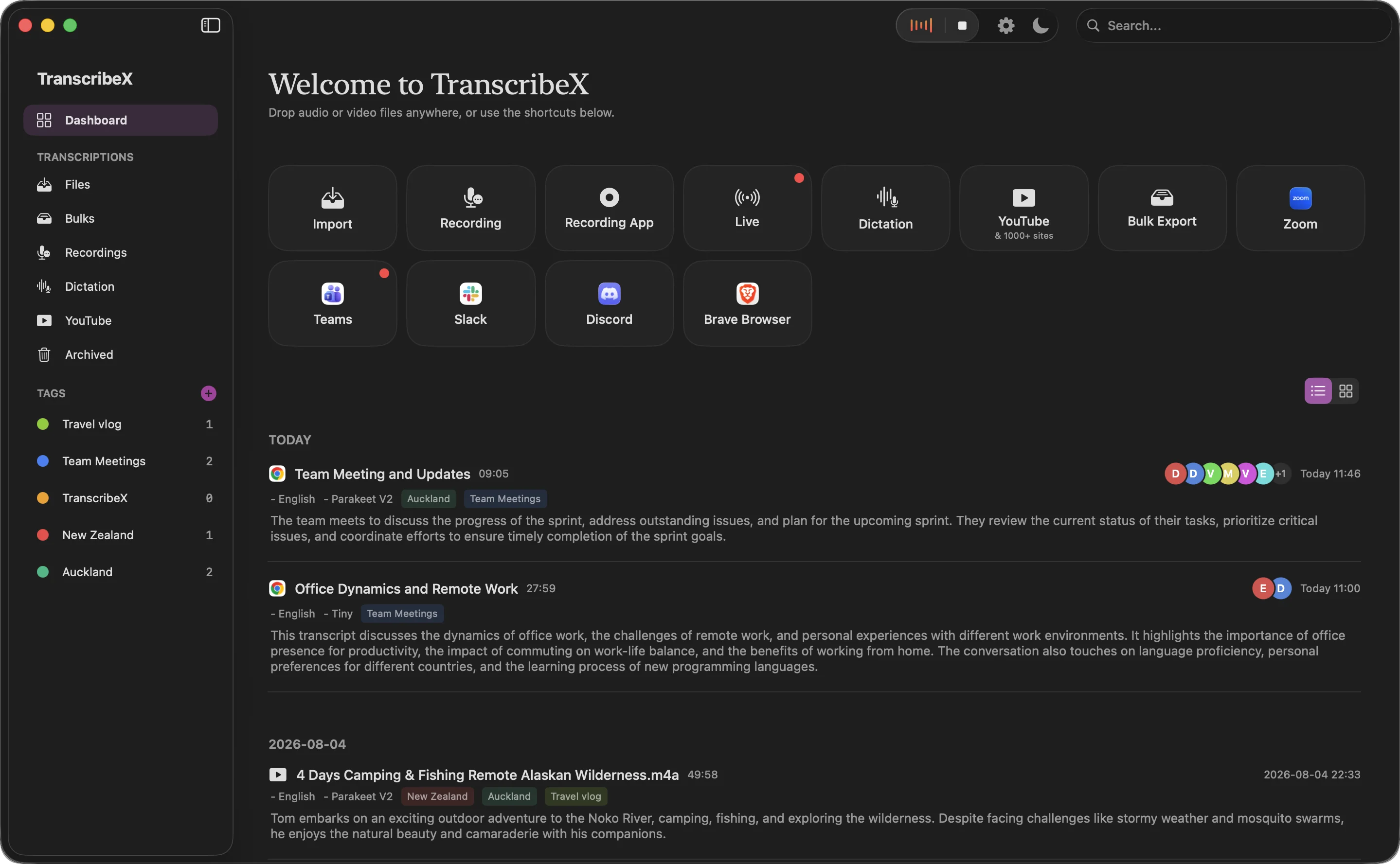
Download the app, open it, and drop in a file. That is the whole setup. Everything below works in the free version, with no expiry date:
- Two speech recognition models. OpenAI Whisper Tiny and Apple’s on-device model, which is built into macOS and needs no download. Whisper covers 100+ languages.
- File transcription. Import audio (mp3, wav, m4a, aac, flac, ogg, wma, aiff) or video (mp4, mov, m4v, mkv, avi, webm, wmv, flv) and transcribe audio to text for free, as many files as you like.
- Microphone recording. Record a lecture, a voice memo or an interview from your Mac’s microphone and transcribe it.
- Dictation. Hold Fn, speak, release, and the text lands at the cursor in any app. This is free speech to text that never leaves the Mac.
- YouTube and 1,000+ sites. Paste a link, download the audio and transcribe it.
- An editor. Edit and merge segments, search and replace, keep a dictionary of names and terms, tag transcripts, and play the audio back in sync.
- TXT export, plus the
txcommand line tool and an MCP server for scripts and AI agents.
What needs Pro
We would rather you know this before you download. The free version is a complete file and dictation tool. It is not a free AI meeting note taker. These features are part of TranscribeX Pro ($39 one-time, free updates, 7-day refund):
| Feature | Free | Pro |
|---|---|---|
| Unlimited local transcription and export | ✓ | ✓ |
| Models | Whisper Tiny, Apple on-device | All Whisper sizes, Parakeet, Qwen3 ASR, Nemotron, fine-tuned Whisper |
| Dictation in any app | ✓ | ✓Plus AI polish |
| YouTube download | ✓ | ✓Plus bulk and HD |
| Export formats | TXT | TXT, SRT, VTT, PDF, CSV, Markdown, JSON |
| Speaker diarization and Voice Profiles | ✗ | ✓ |
| Record audio and video from any Mac app | ✗Microphone only | ✓ |
| Automatic meetings (detect, record, summarize, email) | ✗ | ✓ |
| Live transcription and captions | ✗ | ✓ |
| AI summaries and chat with transcripts | ✗ | ✓ |
| Translation, batch transcription, word-level timestamps | ✗ | ✓ |
Whisper Tiny is the smallest Whisper model. It is quick and handles clear speech well, but it makes more mistakes than the large models on accents, noise and technical terms. Apple’s on-device model starts instantly and covers 30 locale variants, so try both on one of your own recordings. If you need higher accuracy on hard recordings, that is the main reason to upgrade. Compare all the models.
Free audio transcription without uploading anything
Free online transcription tools work by sending your recording to a server. That is how they can run large models in a browser tab, and it is also why they meter minutes: every minute costs them compute. With TranscribeX, the model runs on your Mac. The file stays on your disk, the transcript is stored locally, and once the app is installed you can transcribe with Wi-Fi turned off. More on what works offline.
That matters for anything you would not paste into a stranger’s website: a doctor’s appointment you recorded for yourself, a source interview, a lecture you are not allowed to share, or a voice memo full of passwords and plans.
“TranscribeX really surprised me—fast, accurate, and private. Love that it runs local AI with no extra costs for transcription.”
How it compares with other free transcription software
Several good tools have a free plan. Their limits are quite different, so we put the main ones side by side. The cloud tools are mainly meeting note takers, and their free tiers are built around that.
| Free plan | Where speech is transcribed | Main limits on the free plan |
|---|---|---|
| TranscribeX Free | On your Mac | No minute limit. Whisper Tiny and Apple on-device models, TXT export, no speaker labels |
| Otter.ai Basic | Cloud | 300 minutes a month, 30 minutes per conversation, 3 file imports in total, 25 most recent conversations |
| Fireflies.ai Free | Cloud | 400 minutes of storage per team, 2-hour recording limit, limited AI summaries |
| Fathom Free | Cloud | Unlimited recordings and transcripts; some AI features “limited use”. Meeting-focused, bot by default |
| Granola Basic | Cloud | Meeting history limited to 30 days |
| MacWhisper Free | On your Mac | Basic transcription, SRT/VTT and TXT export; speakers, YouTube and batch are Pro |
| Superwhisper Free | On your Mac | All Whisper models for dictation; file transcription and system audio are Pro |
| Meetily Community | On your Mac | Open source, local transcription and summaries; speaker diarization and meeting auto-detect are paid |
Free-plan limits from each vendor’s own pricing page or site (otter.ai, fireflies.ai, fathom.ai, granola.ai, macwhisper.com, superwhisper.com, meetily.ai), checked October 2026. Free plans change often; tell us at support@transcribex.io if anything here is out of date.
To be fair to the others: MacWhisper Free exports subtitles, which TranscribeX Free does not. Superwhisper Free gives you every Whisper size for dictation. Fathom’s free plan is generous if you mainly want cloud meeting notes and are happy for a bot to join. Meetily is open source. If you want local, unlimited file transcription with dictation and YouTube downloads in the same app, TranscribeX Free is a strong fit. For meetings, see the meeting transcription page and how we compare with Otter and MacWhisper.
Free speech to text in three steps
- Download TranscribeX for Mac, or run
brew install --cask transcribex. - Pick Apple on-device or Whisper Tiny as your model.
- Drop in an audio or video file, record from the microphone, or paste a YouTube link. Export the transcript as TXT when you are done.
The app works on most modern Macs. Apple Silicon is much faster because the models use the Neural Engine, but it is not required.
Free transcription software: FAQ
Is TranscribeX really free, or is it a trial?
It is free with no time limit. The free version transcribes and exports as much audio as you want with Whisper Tiny and Apple’s on-device model. There are no watermarks and you do not need an account. Pro is an optional $39 one-time upgrade.
Is there a limit on minutes or file length?
No. Transcription runs on your Mac, so there is no monthly minute allowance or per-file cap. Long files simply take longer on slower Macs.
Does the free version identify speakers or summarize meetings?
No. Speaker diarization, Voice Profiles, automatic meeting recording, AI summaries and chat are part of Pro. The free version gives you a plain transcript you can edit and export as TXT.
Can I export subtitles (SRT) for free?
Not in TranscribeX. The free version exports TXT. SRT, VTT, PDF, CSV, Markdown and JSON exports are part of Pro.
Is my audio uploaded anywhere?
No. With the free models, transcription happens on your Mac and transcripts are stored locally. The only internet use is for things you start yourself, like downloading a YouTube video.