MacWhisper and Superwhisper both run Whisper on your Mac, so people compare them as if they were the same kind of app. They aren’t. MacWhisper started as a file transcriber and grew meeting and dictation features. Superwhisper started as a dictation app and added file transcription and a meeting mode. Pick the one whose starting point matches what you do most.
I’ve added TranscribeX as a third column because it started from a third place, meetings, and because I build it. Everything about the other two comes from their own websites and docs, checked October 2026.
The short version
- You mostly dictate: Superwhisper. Its modes and context awareness are the best of the three, and it runs on Windows, iPhone and Android too.
- You mostly transcribe files, podcasts and subtitles: MacWhisper. It has the deepest file workflow and integrations like Notion and Zapier.
- You mostly record meetings: TranscribeX, which detects the call and handles speakers, summary and email by itself. MacWhisper is a solid second choice since its September 2026 update.
- Price: TranscribeX Pro $39 once, MacWhisper Pro €64 once, Superwhisper Pro $84.99 a year or $249.99 lifetime.
MacWhisper vs Superwhisper vs TranscribeX at a glance
| MacWhisper | Superwhisper | TranscribeX | |
|---|---|---|---|
| Started as | File transcription | Dictation | Meeting transcription |
| Local models | Whisper, Parakeet, Qwen3 ASR | Whisper (all free), Parakeet, Cohere Transcribe | Whisper, Parakeet, Qwen3 ASR, Nemotron, Apple on-device |
| Optional cloud models | Deepgram, ElevenLabs, Gladia | Nova 2/3, S1-Voice, ElevenLabs Scribe | ElevenLabs Scribe, Mistral Voxtral |
| System-wide dictation | ✓AI prompts on Pro | ✓Modes, context awareness | ✓Free; AI polish on Pro |
| Meeting auto-detection | ✓Pro | ✗Manual start | ✓Pro |
| Speaker labels | ✓Up to 8 speakers (Pro) | ✓Pro, best with cloud Nova | ✓No limit, Voice Profiles (Pro) |
| AI summary | Your API key, or Ollama / LM Studio | “Meeting Mode” (Pro) | Built-in local model, or your own provider (Pro) |
| Automatic recap email | ?Not found on its site | ?Not found in its docs | ✓Pro |
| YouTube and URL transcription | ✓Pro | ?Not mentioned | ✓Free |
| Integrations | Notion, Obsidian, Zapier, Make, n8n, webhooks | Clipboard and active app | File exports, CLI, MCP |
| Platforms | Mac, iPhone, iPad | Mac, Windows, iPhone, Android | Mac |
| Paid price | €64 once | $84.99/year or $249.99 lifetime | $39 once |
From macwhisper.com, MacWhisper 15.2 release coverage (9to5Mac, September 23, 2026), superwhisper.com and its docs, checked October 2026. “Not found” means I couldn’t confirm it from public pages, not that it is definitely missing.
Dictation: Superwhisper is the specialist
Dictation is where Superwhisper earns its subscription. It has modes for messages, email and notes, a “Super” mode that reads which app you’re in, custom vocabulary, text replacements, push to talk, and fast cloud models when you want speed over privacy. It also works on Windows, iPhone and Android with one license, which neither of the others does.
MacWhisper has system-wide dictation too, with AI prompts per app on Pro and a list of your last ten dictations in the menu bar. It works well, but it’s one feature among many.
TranscribeX dictation is free: hold Fn (or any key you pick), speak, release, and the text lands at the cursor. Pro adds AI polish that removes filler words and fixes self-corrections. It’s simpler than Superwhisper’s modes, on purpose.
File transcription: MacWhisper has the deepest workflow
If your work is podcasts, interviews, lectures or subtitles, MacWhisper is hard to beat. It handles batch jobs, YouTube and media URLs, watched folders, subtitle translation, an inline video player, exports to SRT, VTT, DOCX, PDF and Markdown, and sends results to Notion, Obsidian, Zapier, Make, n8n or a webhook. It also has a command-line tool.
Superwhisper can transcribe files on Pro, and the file “uses your active mode”, so the same AI formatting you use for dictation applies. Its docs don’t list export formats or batch processing, so I’d treat it as a light file tool.
TranscribeX sits in between. It has batch queues, folder watching, YouTube and 1,000+ site downloads (free), word-level timestamps, and exports to TXT, SRT, VTT, PDF, CSV, Markdown and JSON, including bilingual subtitles. It has no Notion or Zapier connection; it offers a CLI and an MCP server instead.
Meetings: where the three apps differ most
Superwhisper records meetings when you start them. You pick a mode, turn on system audio and press record. Pro can identify speakers, but its docs say speaker labels appear in the history view and not in AI summaries, and the most accurate separation uses cloud Nova models.
MacWhisper got serious about meetings in version 15.2 (September 2026). Pro detects calls in Zoom, Teams, Webex, Discord and others, records without a bot, shows a live transcript, and labels up to eight speakers with NVIDIA’s Nemotron diarization model. Summaries run through your own API key or a local model server.
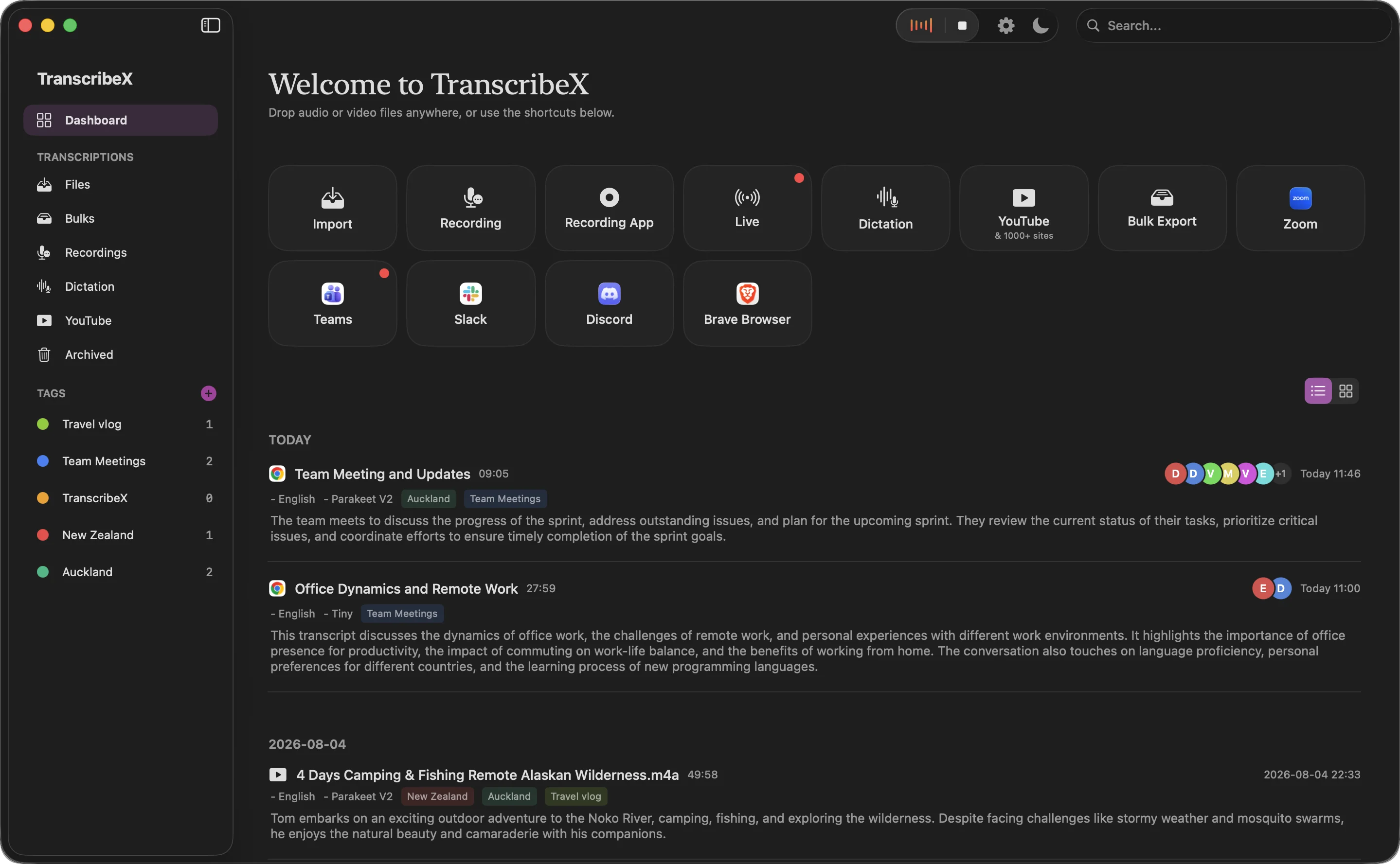
TranscribeX treats the meeting as a pipeline. Pro detects the call, matches it to your calendar event, records audio and optionally video, transcribes locally, names speakers with no fixed limit (Voice Profiles remember recurring people), writes a summary with a language model built into the app, exports it, and can email the recap. Each step is optional. Here’s the full meeting cycle.
Local models in each app
All three run the same core open models, so accuracy on the same model is close. The model does the recognition; the app decides how fast it loads and what happens afterwards.
- Whisper. Superwhisper gives every Whisper size away for free, up to Large V3 Turbo. TranscribeX’s free version includes Whisper Tiny, with the larger sizes on Pro. MacWhisper doesn’t list which sizes its free version gets.
- NVIDIA Parakeet. In all three, on the paid tier (for MacWhisper, according to user reports). In our own test on an M4 Pro, Parakeet V2 transcribed 8 minutes of English in 16 seconds against 100 seconds for Whisper Large V3, with a slightly lower error rate. Parakeet details.
- Others. MacWhisper and TranscribeX also run Qwen3 ASR. Superwhisper adds Cohere Transcribe. TranscribeX adds NVIDIA Nemotron for live captions and Apple’s on-device recognizer, which is free and needs no download.
Not sure which to pick? Our model guide has measured speeds and error rates on a Mac.
What each one costs
MacWhisper and TranscribeX are one-time purchases. Superwhisper is a subscription with a lifetime option, and its license covers all your devices, which matters if you also want it on Windows or your phone.
| Plan | Billing | 1 year | 3 years |
|---|---|---|---|
| TranscribeX Pro | One-time, free updates | $39 | $39 |
| MacWhisper Pro | One-time (Gumroad), lifetime updates | €64 | €64 |
| Superwhisper Pro | $84.99/year ($8.49/month monthly; $249.99 lifetime) | $84.99 | $254.97 |
Cheapest paid individual plan at list price (USD unless marked). Prices checked October 2026 on each vendor’s pricing page (MacWhisper, Superwhisper). TranscribeX Pro is a one-time purchase with free updates; the free version has no time limit.
“TranscribeX really surprised me—fast, accurate, and private. Love that it runs local AI with no extra costs for transcription.”
What about Wispr Flow?
Wispr Flow comes up in the same searches, but it’s a different kind of product: dictation that always transcribes in the cloud, according to its own privacy page. The free plan allows 2,000 words a week on desktop, and Pro costs $12 a month billed yearly. If you want MacWhisper’s or Superwhisper’s on-device processing, Wispr Flow isn’t a substitute. TranscribeX vs Wispr Flow.
Which one should you pick?
Superwhisper if…
- You dictate for hours a day
- You want AI modes per app
- You also use Windows or Android
MacWhisper if…
- You transcribe files, podcasts and subtitles
- You push transcripts into Notion or Zapier
- You want an iPhone and iPad app
TranscribeX if…
- Most of what you transcribe is meetings
- You want summaries without an API key
- You want the recap filed and emailed for you
- You’d rather pay $39 once
Any of them if…
- You only need occasional local Whisper transcription: all three have free versions
MacWhisper vs Superwhisper FAQ
Is Superwhisper better than MacWhisper?
For dictation, yes: Superwhisper has more advanced AI modes and runs on more platforms. For file transcription and meetings, MacWhisper does more, including automatic meeting detection and integrations with Notion and Zapier.
Is Superwhisper free?
Superwhisper has a free plan with dictation and all local Whisper models, limited to two modes without AI processing. Pro costs $8.49 a month, $84.99 a year or $249.99 once, and adds file transcription, Parakeet, AI modes, system audio and speaker separation.
Does MacWhisper do dictation?
Yes. MacWhisper includes basic system-wide dictation in its free version, and Pro adds higher-quality dictation with AI prompts.
MacWhisper vs Wispr Flow: which is more private?
MacWhisper, because it transcribes on your Mac. Wispr Flow says on its privacy page that transcription always happens in the cloud.
Can I use MacWhisper and Superwhisper together?
Yes, many people do: Superwhisper for dictation and MacWhisper or TranscribeX for files and meetings. Check that their keyboard shortcuts don’t clash.