You can transcribe audio to text on a Mac for free without uploading anything. Speech recognition models now run on the Mac itself, so a free app can turn an hour of audio into text in a few minutes, offline, with no monthly cap.
This guide covers the free options built into macOS, a step-by-step walkthrough with a free local app, and the settings that make the biggest difference to accuracy. I build TranscribeX, the app in the walkthrough, but the tips apply to any Whisper-based tool.
The short version
- For a recording you already have: drag it into a free local app like TranscribeX, pick a model, export the text.
- For English, use Apple’s on-device model: in our test it made about a quarter of the errors Whisper Tiny did, at the same speed.
- For something you’re about to record: Apple Notes on macOS 15 or later transcribes as part of the recording.
- No upload needed: everything here runs on your Mac and works offline.
How audio transcription works on a Mac
Transcription software uses a speech recognition model to turn audio into words. Online services run that model on their servers, which costs them money per minute, so their free plans are capped. On a Mac with Apple Silicon, models like OpenAI’s Whisper or Apple’s own on-device recognizer run locally on the chip’s Neural Engine and GPU. A local app pays nothing per minute, which is why it can offer free transcription with no limit.
The trade-off is that a free tier usually gets the smaller, faster models. They’re fine for clear speech and struggle more with noise, accents and crosstalk.
Free ways to transcribe audio on a Mac
| Option | Good for | Limits |
|---|---|---|
| Apple Notes (macOS 15+) | Voice notes and lectures you record in Notes | Not built for importing existing files; fewer languages |
| macOS Dictation | Speaking into any text field | Live speech only, not recordings |
| A free local app (TranscribeX, MacWhisper, Buzz) | Existing audio and video files | Smaller models on free tiers |
| Free online tools | Any computer, no install | Minute caps; your audio is uploaded |
For a full comparison of the apps, see the best free transcription software for Mac.
Step by step: transcribe an audio file for free on a Mac
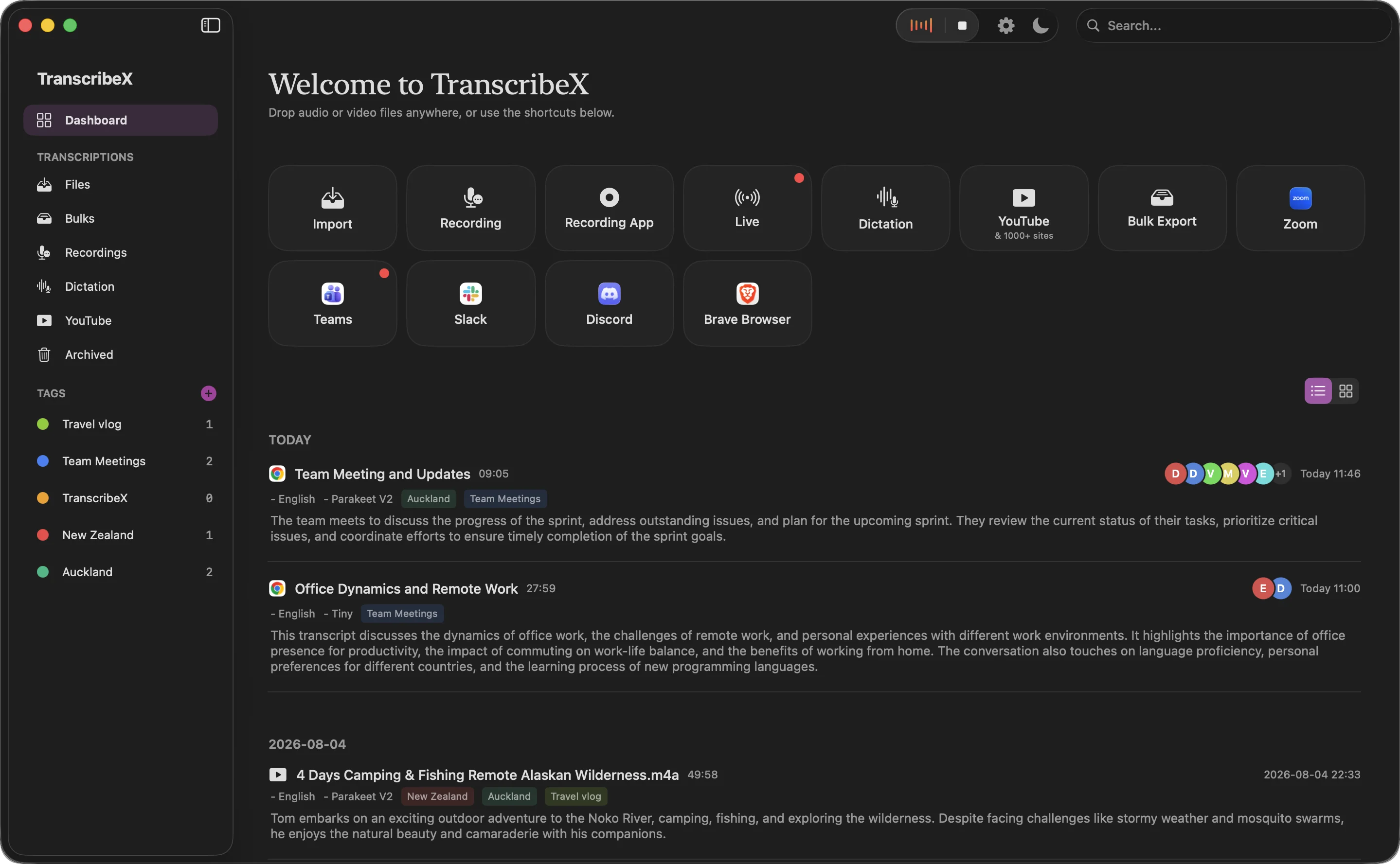
- Install TranscribeX. Download it from transcribex.io or run
brew install --cask transcribex. There’s no account to create. - Drag your file in. Drop audio or video straight into the window, or a whole folder. It reads mp3, m4a, wav, aac, flac, ogg, aiff, wma, and video such as mp4, mov, mkv and webm. For a YouTube video, use the built-in downloader first.
- Pick the language and model. For English, choose Apple’s on-device model. For other languages, either Apple’s model (about 30 locales) or Whisper Tiny (100+ languages). Setting the language rather than leaving it on auto-detect avoids a wrong guess on short clips.
- Transcribe. On Apple Silicon, short files finish in seconds. In our test, 8 minutes of audio took about 6 seconds with either free model on an M4 Pro.
- Fix the details. Play the audio with synced highlighting, correct words inline, and use search and replace for repeated mistakes.
- Export. Save the transcript as a TXT file, or copy it into your notes.
The free version has no time limit, no watermark and no cap on how many files you transcribe.
Which free model is most accurate?
We ran both free models on the same 8-minute English file on an M4 Pro Mac, alongside the larger Pro models for comparison.
| Model | Word error rate | Time for 8 min of audio | Faster than real time | Plan |
|---|---|---|---|---|
| Whisper Tiny | 10.2% | 6.5 s | 74× | Free |
| Whisper Large V3 | 3.4% | 100 s | 5× | Pro |
| Parakeet V2 | 2.8% | 16 s | 30× | Pro |
| Qwen3 ASR 0.6B (8-bit) | 4.8% | – | – | Pro |
| Apple On-Device | 2.8% | 6.3 s | 77× | Free |
Our own test, run October 17, 2026 on a Mac with an Apple M4 Pro chip and 24 GB of memory, macOS 27.0.1. Audio: 73 clean read-speech clips from the LibriSpeech validation set (hf-internal-testing/librispeech_asr_dummy on Hugging Face), joined into one 8-minute file, 1,150 reference words. Each model was run twice through the TranscribeX command line and the second run is shown; times are end to end, including loading the model. Word error rate uses simple normalization (lowercase, punctuation removed). Clean read speech is easier than a real meeting, so expect higher error rates on your own calls, and treat differences under one point as noise on a sample this size. Qwen3 ASR was not timed in this round; Whisper Large V3 Turbo, Parakeet V3 and Nemotron were not part of it.
On this clean English audio, Apple’s on-device model made 2.8 errors per hundred words against 10.2 for Whisper Tiny, at the same speed. Apple’s model was as accurate as the much larger Parakeet on this test. Real meetings with background noise are harder, so expect more errors on your own recordings, but the ranking is a good guide for English.
Whisper Tiny earns its place for languages Apple’s model doesn’t cover. If accuracy matters a lot, the larger Whisper and Parakeet models in Pro are the next step. Compare all models.
Tips for more accurate transcripts
- Start with better audio. A microphone close to the speaker beats any model. Laptop mics across a room are the most common cause of bad transcripts.
- Set the language explicitly. Auto-detection can misfire on the first few seconds, especially with accents or a short greeting in another language.
- Teach it names. Add people’s names, product names and jargon to TranscribeX’s Dictionary, which replaces words across every transcript.
- Trim long silences and music. Whisper models occasionally repeat or invent text over long stretches without speech.
- Split the speakers if there are several. Speaker labels (a Pro feature) make interviews and meetings far easier to read.
What about recording first?
If you don’t have a recording yet, TranscribeX Free records from your Mac’s microphone. To capture audio playing on your Mac, such as a webinar or a call, see how to record system audio on a Mac. Recording the other side of a call needs their consent.
“Just works. Stable on my M1 iMac. Good UI. Fast. Stable. Very happy with my purchase.”
Free audio transcription FAQ
How can I transcribe audio to text for free?
On a Mac, use a free local app such as TranscribeX, MacWhisper or Buzz: drag the audio file in, choose a model, and export the text. The transcription runs on your Mac, so there is no upload and, in TranscribeX, no minute limit.
Can a Mac transcribe audio files automatically?
macOS can transcribe recordings you make in Notes (macOS 15 and later) and live speech through Dictation. To transcribe existing audio files, you need an app; several good ones are free.
How long does it take to transcribe an hour of audio on a Mac?
With a small model on Apple Silicon, a few minutes or less. In our test on an M4 Pro, the free models processed audio about 75 times faster than real time, so an hour would take under a minute; larger models are slower.
Is free transcription accurate?
For clear English, yes: Apple’s on-device model had a 2.8% word error rate on clean speech in our test. Noisy recordings, strong accents and overlapping speakers lower accuracy, and larger models handle them better.