Free transcription on a Mac used to mean an online tool with a monthly minute allowance. That’s no longer the best option. Speech recognition models like Whisper now run comfortably on Apple Silicon, so several apps can transcribe on your Mac for free with no minute cap at all, because transcribing costs their developers nothing.
The catch is that each free version draws its line somewhere else: file imports, export formats, model size, or speaker labels. This list compares seven free options on exactly those lines. I build TranscribeX, which is on the list; everything about the others comes from their own sites, checked October 2026.
Best free transcription software for Mac, by need
- Unlimited file transcription, no setup: TranscribeX Free.
- Free subtitles (SRT/VTT): MacWhisper Free.
- Nothing to install: Apple Notes on macOS 15 or later, for recordings you make there.
- Open source: Buzz.
- Free meeting transcription: Meetily or Anarlog.
- Free dictation, not files: Superwhisper.
What to check before choosing free transcription software
- Is there a minute or file limit? Online tools almost always have one. Local apps usually don’t.
- Can it import files? Some free tiers only transcribe what you record live.
- Which model does the free version use? A small model is fast but makes more mistakes. On clean English, Whisper Tiny got about one word in ten wrong in our Mac test; Apple’s on-device model got under one in thirty.
- What can you export? Plain text is enough for notes. Subtitles need SRT or VTT.
- Does audio leave your Mac? Matters for interviews, client calls and anything personal.
Free Mac transcription apps compared
| App | Runs on your Mac | Free limit | Import files | Free export |
|---|---|---|---|---|
| TranscribeX Free | ✓ | None | ✓Audio, video, YouTube | TXT |
| MacWhisper Free | ✓ | Feature-limited | ✓mp3, wav, m4a, mp4, mov and more | TXT, SRT, VTT |
| Apple Notes (macOS 15+) | ?Not stated | None stated | ?Recordings made in Notes | Copy text |
| Buzz (open source) | ✓ | None | ✓ | Several formats |
| Meetily Community | ✓ | None; speakers are Pro | Meetings | Basic; PDF/DOCX are Pro |
| Superwhisper Free | ✓ | File transcription is Pro | ✗ | Dictation only |
| Otter Basic (online) | ✗ | 300 min/month, 30 min per file | 3 imports in total | TXT, mp3 |
From each vendor’s website, docs or GitHub page, checked October 2026. “?” means the vendor doesn’t say.
1. TranscribeX Free: unlimited local transcription
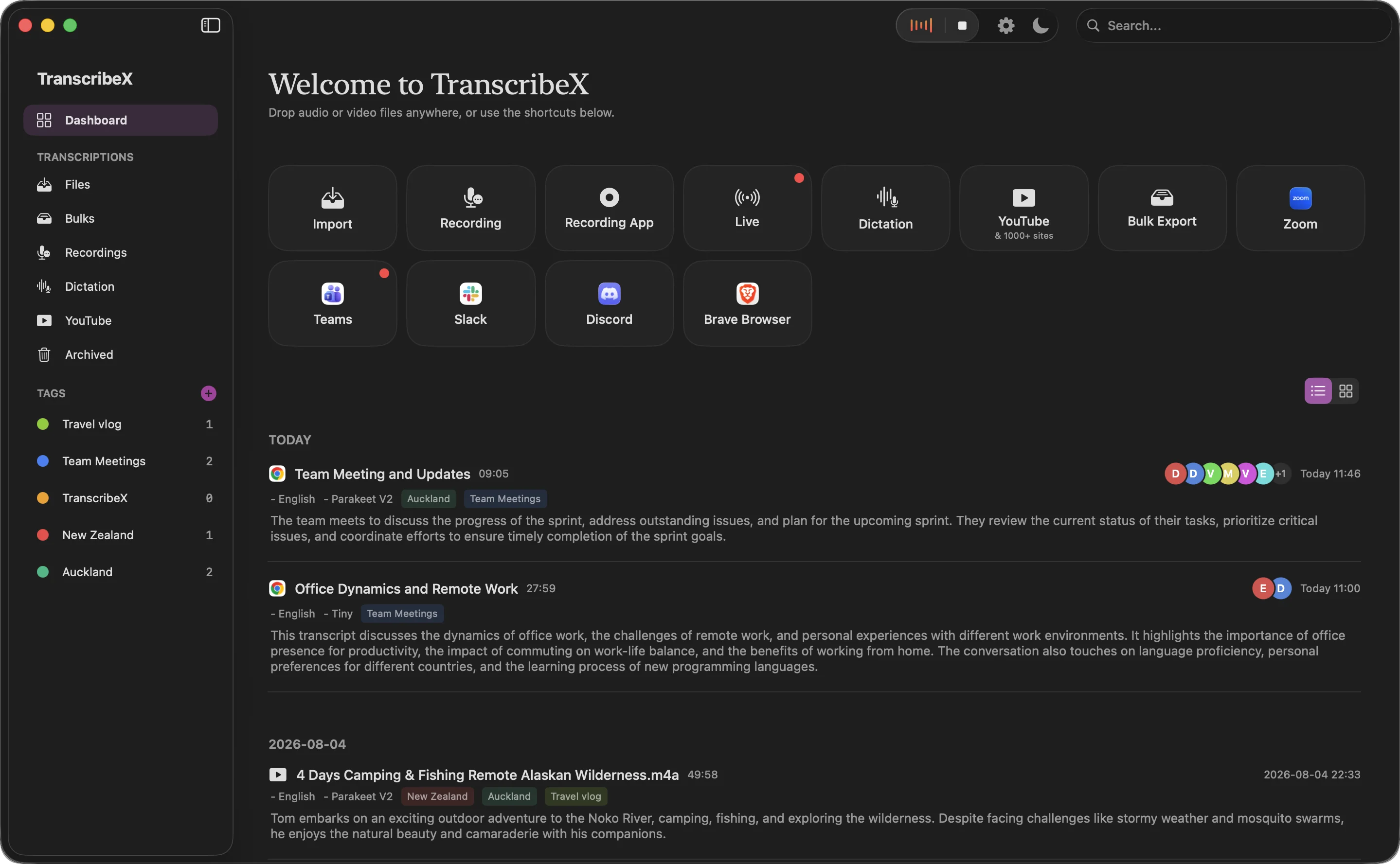
TranscribeX’s free version has no minute limit, no trial clock, no watermark and no account. It transcribes audio and video files, microphone recordings and downloaded YouTube videos on your Mac, using Whisper Tiny or Apple’s on-device model, in 100+ languages. It also includes an editor with search and replace, a custom dictionary, dictation in any Mac app, and TXT export.
Where Free stops: subtitle exports (SRT, VTT), speaker labels, the larger and faster models (Whisper Large, Parakeet), automatic meeting recording and AI summaries are in Pro, $39 once. If you need subtitles for free, MacWhisper is the better choice.
Tip: for English, pick Apple’s on-device model rather than Whisper Tiny. In our benchmark it was as fast and made far fewer errors on clean speech.
2. MacWhisper Free: best for free subtitles
MacWhisper’s free version records from your microphone, imports common audio and video formats, transcribes in about 100 languages and, unusually for a free tier, exports SRT and VTT subtitles as well as text. Speaker recognition, YouTube transcription, batch processing and meeting recording are in Pro (€64 once). MacWhisper doesn’t say which Whisper sizes the free version gets; user reports point to the smaller ones.
3. Apple Notes and Voice Memos: built in, nothing to install
Since macOS 15 Sequoia, the Notes app can record audio and produce a transcript when you stop, and Voice Memos gained transcripts in the same release. Both are free and come with the Mac. It works best for things you record on the spot, like a voice note or a lecture. Apple doesn’t present it as a tool for transcribing existing files, and language support is narrower than Whisper’s, so check that your language is supported.
4. Buzz: free and open source
Buzz is an MIT-licensed desktop app that runs OpenAI’s Whisper locally. It’s free, imports audio and video files, and exports text and subtitle formats. You can install it with brew install --cask buzz or download it from its GitHub releases. The interface is more utilitarian than the commercial apps, and the GitHub build may trigger a macOS warning that the app isn’t signed. There’s also a separate Mac App Store version called Buzz Captions.
5. Meetily and Anarlog: free meeting transcription
If what you want to transcribe is meetings, both of these are free, open source and local. Meetily’s Community edition records your mic and system audio, transcribes with Whisper or Parakeet and summarizes through Ollama; speaker labels and automatic detection are in its $120-a-year Pro. Anarlog’s free plan has unlimited on-device transcription with manual speaker labelling. More on both.
6. Superwhisper Free: free dictation, not files
Superwhisper’s free plan is generous for dictation: every local Whisper model, custom vocabulary and two modes without AI processing. File transcription, though, is a Pro feature. It’s on this list so you don’t install it expecting to transcribe recordings for free.
7. Free online transcription: convenient, but capped
Online tools like Otter’s free Basic plan work from any browser and need no download. The trade-offs are limits and uploads: Otter Basic gives 300 minutes a month, cuts each conversation at 30 minutes and allows three file imports in total, and your audio is processed on Otter’s servers. Every Otter free-plan limit.
Which free transcription software should you use?
- Interviews, lectures, podcasts, voice memos as files: TranscribeX Free, with Apple’s model for English.
- Video subtitles: MacWhisper Free.
- A quick note you’re about to record: Apple Notes.
- You want to read the source code: Buzz, or Meetily for meetings.
For a step-by-step walkthrough, see how to transcribe audio to text for free on a Mac.
“TranscribeX really surprised me—fast, accurate, and private. Love that it runs local AI with no extra costs for transcription.”
Free transcription software FAQ
What is the best free transcription software for Mac?
For unlimited transcription of files without setup, TranscribeX Free runs on your Mac with no minute limit. MacWhisper Free is the better choice if you need free SRT or VTT subtitles. Apple Notes is built in on macOS 15 and later for recordings you make in the app.
Does Mac have built-in transcription?
Yes. Since macOS 15 Sequoia, the Notes app can record audio and create a transcript, and Voice Memos shows transcripts too. Dictation, built into macOS, turns live speech into text in any app.
Is there free transcription software with no time limit?
Yes. Local apps such as TranscribeX Free, Buzz and Meetily Community transcribe on your Mac with no minute limit, because they don’t pay for cloud processing. Online tools usually cap minutes per month.
Can I transcribe audio offline on a Mac for free?
Yes. TranscribeX Free, MacWhisper Free and Buzz all transcribe without an internet connection once installed (and once any model is downloaded).